Starts calm, stays out of the way
启动安静,不挡视线
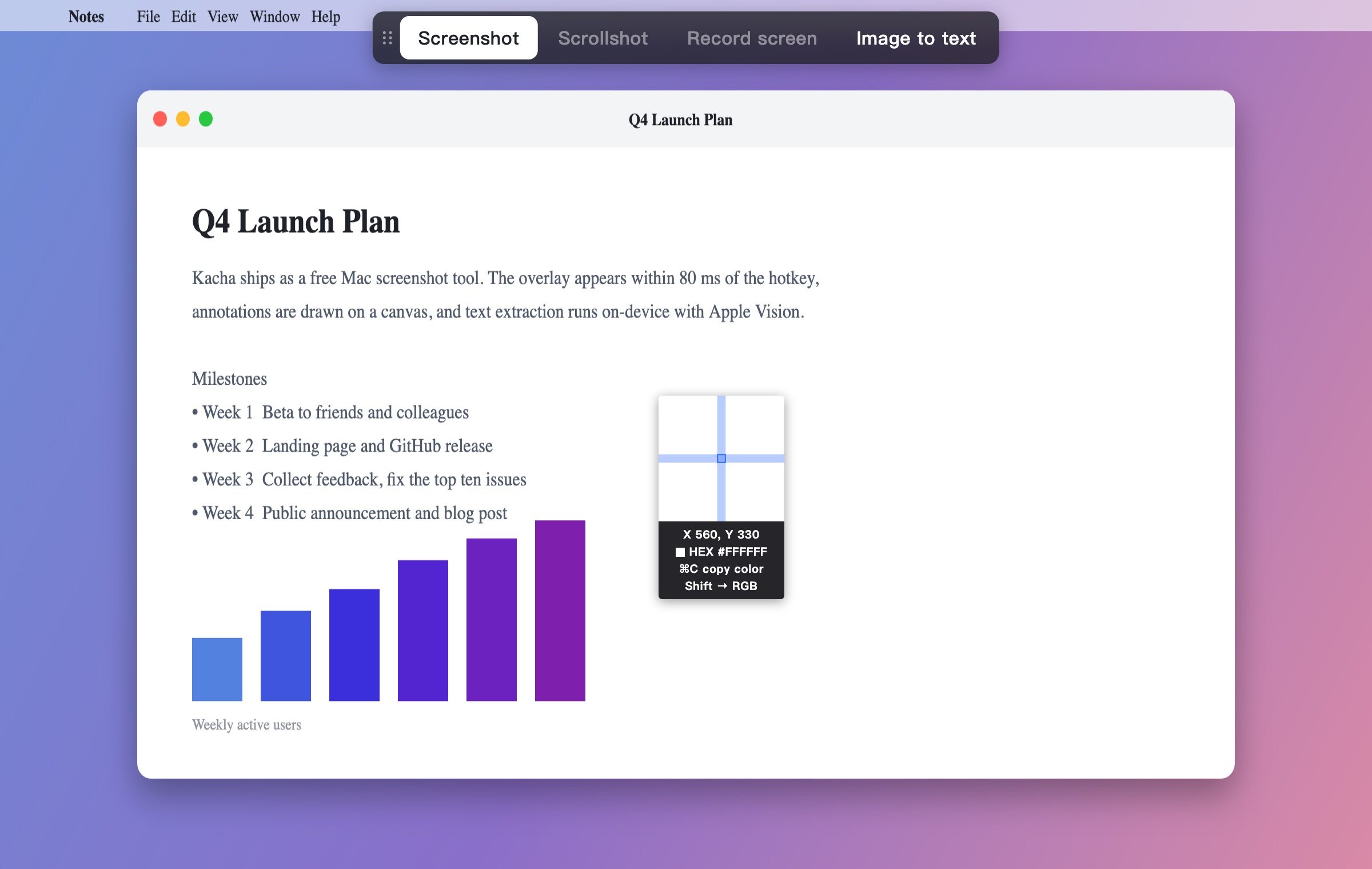
No dimming until you select. The magnifier shows exact coordinates and the pixel color, so UI work and bug reports get precise crops.
框选前不压暗画面。放大镜给出精确坐标和像素颜色,做界面和提 bug 时截得准。
One hotkey. The overlay appears in under 80 ms. Annotate, extract text on-device, pin to screen, copy. No account, no network, nothing leaves your Mac.
一个快捷键,80 毫秒内进入截图。标注、离线提取文字、固定到屏幕、一键复制。不用注册,不连网,内容不离开你的 Mac。
Download for macOS下载 macOS 版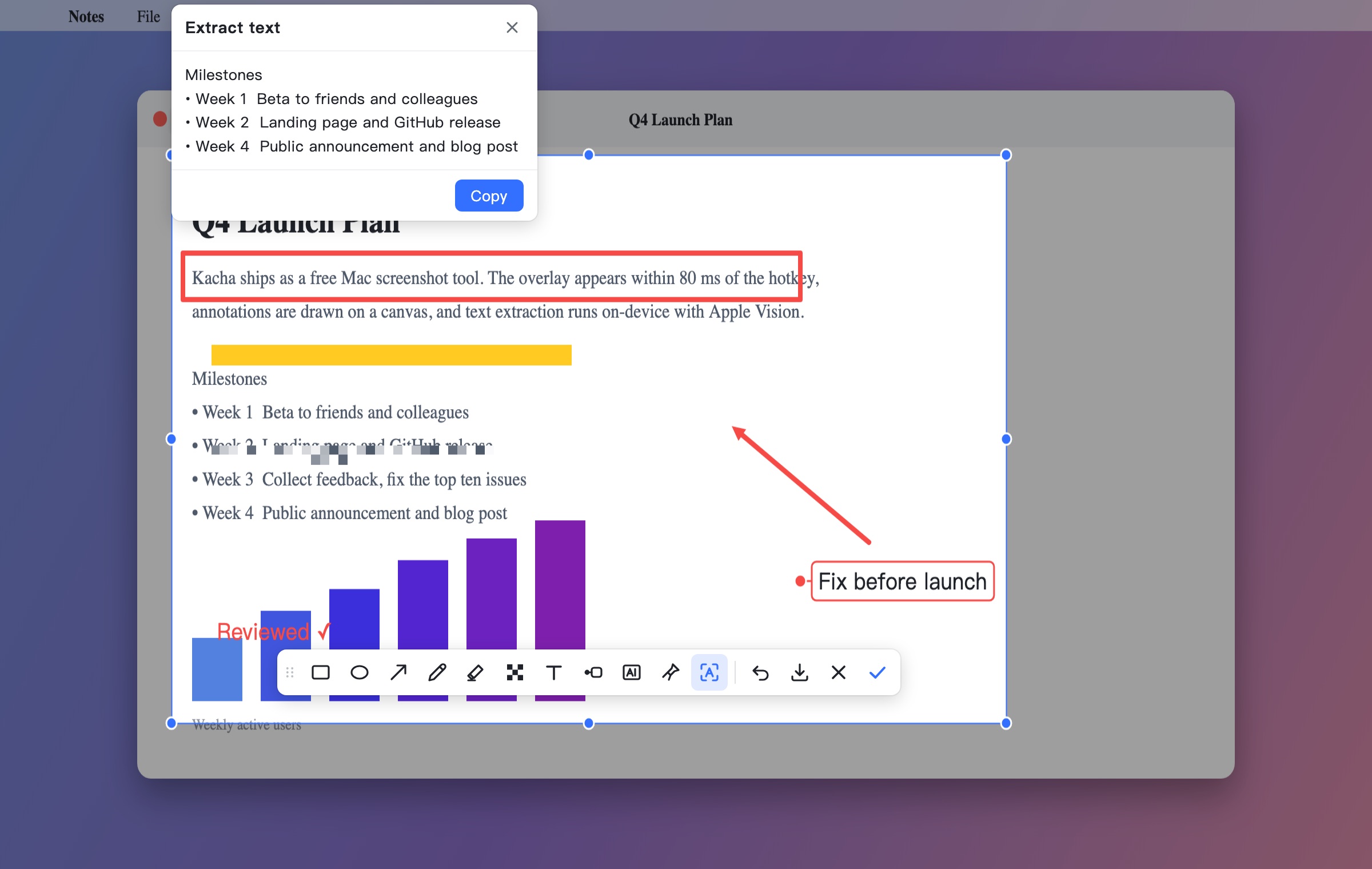
Modeled on the screenshot flow people already love in Feishu / Lark, rebuilt as a tiny native Mac app.
参考飞书截图的操作流程,做成一个轻巧的原生 Mac 应用。
Press ⌘⇧A and the frozen frame is on screen in 40–80 ms, even on a 4K display.
按下 ⌘⇧A,4K 屏上也能在 40–80 毫秒内看到冻结画面。
Rectangle, ellipse, arrow, pen, highlighter, mosaic, text, numbered labels, watermark. Undo with ⌘Z.
矩形、椭圆、箭头、画笔、高亮、马赛克、文本、标签、水印,⌘Z 撤销。
Select any area and get editable text with clickable links. Runs on-device with Apple Vision; Chinese, English, Japanese, Korean.
框选任意区域得到可编辑的文字,链接可点。用系统 Vision 本地识别,支持中英日韩。
Float a capture above every window and space. Drag, zoom with the scroll wheel, copy with ⌘C.
把截图悬浮在所有窗口和桌面之上,可拖动、滚轮缩放,⌘C 复制。
Pixel-precise selection with live coordinates and the color under the cursor. ⌘C copies HEX or RGB.
像素级框选,实时显示坐标和光标处颜色,⌘C 复制 HEX 或 RGB。
No account, no analytics, no network calls. The app is about 3 MB and asks only for Screen Recording permission.
不用注册、没有统计、不联网。应用约 3 MB,只申请屏幕录制权限。
Three steps, all on the keyboard if you like.
三步完成,全程可以不碰鼠标。
The screen freezes. A magnifier follows your cursor; the mode bar lets you switch to Image to text.
画面冻结,放大镜跟随光标;顶部模式栏可切到"图片转文字"。
Adjust with eight handles, then annotate with the toolbar that appears under the selection.
八个手柄微调,选区下方的工具栏用来标注。
Enter or ⌘C copies the PNG, ⌘S saves it, the pin button floats it on screen.
Enter 或 ⌘C 复制 PNG,⌘S 保存,固定按钮把它悬浮在屏幕上。
No dimming until you select. The magnifier shows exact coordinates and the pixel color, so UI work and bug reports get precise crops.
框选前不压暗画面。放大镜给出精确坐标和像素颜色,做界面和提 bug 时截得准。
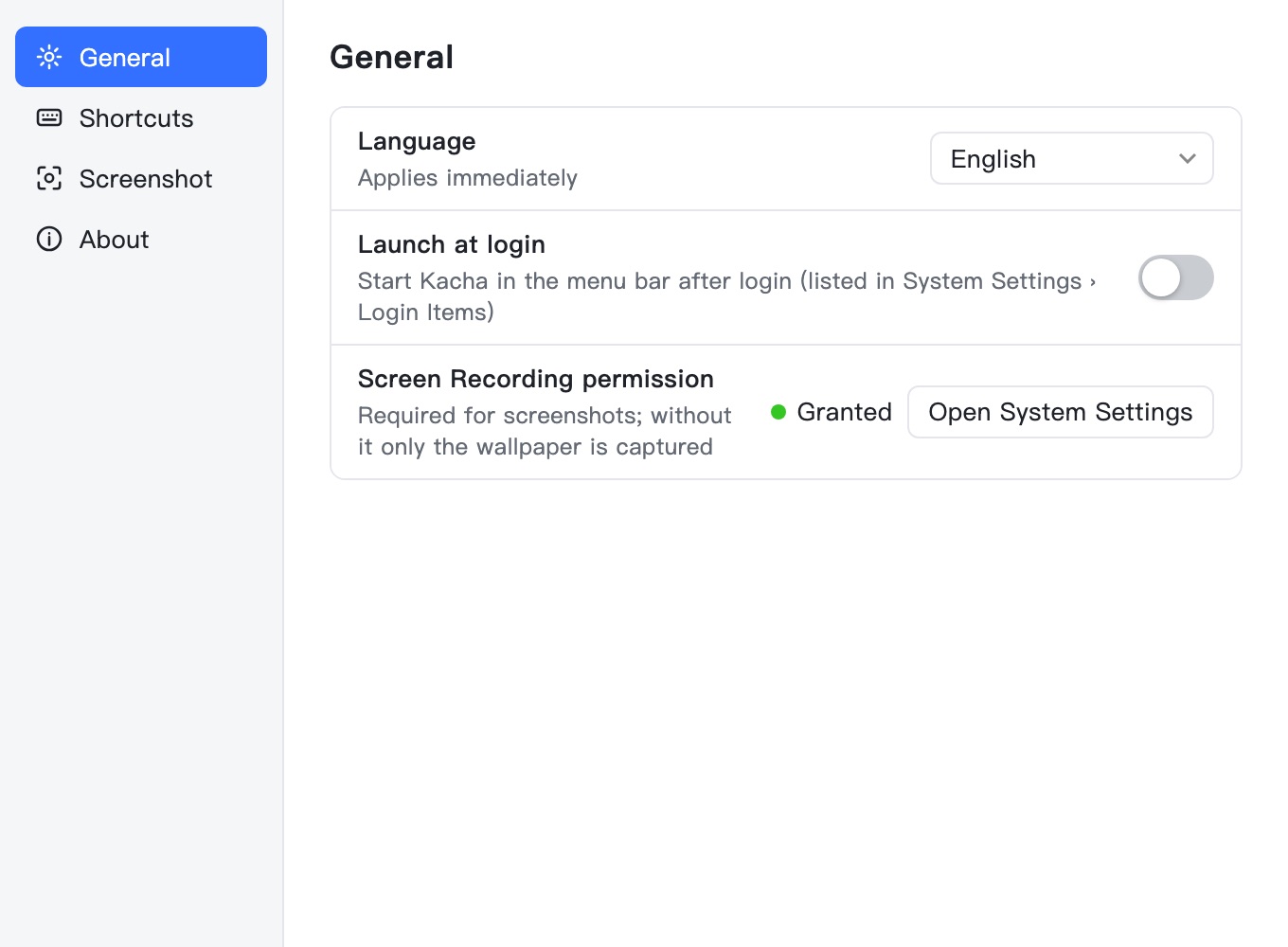
Switches and dropdowns, grouped by tab. Record your own shortcut, pick a save folder, choose recognition languages, launch at login. English and Chinese UI.
开关和下拉,按分组 Tab 排列。录入自己的快捷键、选保存文件夹、选识别语言、开机启动。界面支持英文和中文。
Kacha ships as a small dmg. It is not notarized by Apple yet, so the first launch takes one trip to System Settings.
Kacha 是一个很小的 dmg,还没有经过 Apple 公证,第一次打开要去一趟系统设置。
Drag Kacha.app onto the Applications folder shown next to it.
把 Kacha.app 拖到旁边的"应用程序"上。
Double-click Kacha; macOS says it could not verify the app. Click Done, open System Settings › Privacy & Security, scroll down and click Open Anyway, then Open. On macOS 14 right-click › Open is enough. Kacha then lives in the menu bar; there is no dock icon.
双击 Kacha,macOS 会提示无法验证。点完成,打开 系统设置 › 隐私与安全性,拉到底点仍要打开,再点打开。macOS 14 上右键 › 打开即可。之后 Kacha 住在菜单栏里,没有 Dock 图标。
System Settings › Privacy & Security › Screen Recording › enable Kacha, then quit and reopen it. Without this macOS only hands apps the wallpaper.
系统设置 › 隐私与安全性 › 屏幕录制 › 打开 Kacha,然后退出重开。没有这个权限 macOS 只会给应用壁纸。
Yes. Kacha is a personal project shared for free. No trial, no paid tier, no ads.
是。Kacha 是个人项目,免费分享,没有试用期、付费版或广告。
No. There is no network code in the app. Text extraction uses Apple's on-device Vision framework.
不会。应用里没有任何网络代码,文字识别用的是苹果本机的 Vision 框架。
Yes: menu bar icon › Settings › Shortcuts, click the field and press the combination you want. Conflicts with other apps are reported immediately.
能:菜单栏图标 › 设置 › 快捷键,点一下输入框按下组合键即可。和别的应用冲突会立刻提示。
The build is not notarized yet. "Could not verify" is cleared with System Settings › Privacy & Security › Open Anyway (see Install). If you see "damaged", run xattr -dr com.apple.quarantine /Applications/Kacha.app in Terminal once. Notarized builds are coming; then none of this is needed.
当前版本还没有公证。"无法验证"按安装步骤去 系统设置 › 隐私与安全性 › 仍要打开;若提示"已损坏",在终端执行一次 xattr -dr com.apple.quarantine /Applications/Kacha.app。公证版在准备中,到时这些步骤都不需要。
macOS holds global hotkeys while any menu is open. Close the menu or click Capture in it.
macOS 在任何菜单打开期间都会扣住全局快捷键。关掉菜单,或直接点菜单里的"截图"。
Scrolling capture, screen recording, moving an annotation after placing it, and a history library. They are on the list.
滚动截图、录屏、放下后再移动标注、历史记录库。都在计划里。